

Whop Clipping 101: How to Make Money with Whop (2026)

You’ve probably heard people talking about AI Whop Clipping: creators are posting short videos, joining programs, and somehow getting paid for views.
But if you’re new, it might sound confusing.
- What exactly is Whop clipping?
- How do people make money from it?
- And more importantly, how can you start doing it yourself?
The truth is, Whop clipping is actually super simple.
Programs on Whop have budgets to pay creators for content. You post short-form clips inside those programs, and every view you generate earns you a slice of the payout. Pair that with an AI tool like SendShort (so you don’t waste hours editing), and suddenly it feels like money-making on easy mode.
In this guide, we’ll break everything down step by step so you can go from beginner to earning your first payouts with Whop Clips.
Auto-generate clips, post across multiple Whops, and earn from views. No installs. No watermark.
What is Whop Clipping?
Answer: Whop clipping is the process of creating and posting short-form videos inside Whop programs to earn payouts from their budgets. Think of it like TikTok or YouTube Shorts, but directly tied to a reward system: every view your clips get helps you collect money from the program’s available budget.
In simple terms, or 3 simple steps:
- Programs on Whop have money set aside to pay creators.
- You post clips into those programs.
- When people watch your clips, you earn from that budget.

The faster and more consistently you can produce clips, the more opportunities you have to earn, which is why most creators use automation tools to scale.
→ Definition of “Whop Clipping”
How to Make Money with Whop Clips (You Can Do It Too)
To make money with Whop Clips, join a Whop program, use an AI tool like SendShort to auto-generate short videos, post them consistently, and earn payouts from views.
Generally speaking, making money with short clips is a straightforward process once you know the steps. You don’t need to be a video editor or an influencer tool to automate your clips.
Let me show you how it works, step by step.
Step 1: Join a Whop Program
Head over to Whop and browse programs that pay creators for posting content. Each program has a set budget used to reward creators.

Pro Tip: Only join programs with at least 60% of their budget remaining.
If a program is already 90%+ drained, you risk posting content without getting paid.
Step 2: Automate Clips with SendShort
This is where most beginners get stuck.
Manually clipping videos takes hours.

Instead, use SendShort to turn a long video into 10+ ready-to-post clips in seconds. Just upload a video, let the AI generate shorts, and your content is ready to go – captions and cuts included.
This is where your Whop clip farm starts.
Step 3: Post Them on Whop
Once your clips are ready, upload them into the Whop server you joined.
Every view you get contributes to payouts from that program’s budget. The more consistently you post, the more your views (and payouts) will grow.
Step 4: Scale Across Multiple Whops
Here’s where the real earning power kicks in.
Don’t stop at one Whop, join multiple programs at once.
Since SendShort automates the editing, it’s easy to spread your clips across different programs. One video can produce 10+ clips, and each of those clips can earn money in multiple Whops.
Step 5: Collect Your Payouts
As your clips rack up views, payouts start rolling in.
Some creators start small, but with daily posting and automation, earnings stack quickly. Many use this to build content farms that run almost on autopilot.
You may want to watch this video to get ready for your payouts.
6 Best Practices for Whop Clipping
Getting started with Whop Clips is simple, but making money consistently requires a bit of strategy. These best practices will help you avoid wasted effort and maximize your payouts.
| Best Practice | Why It Matters |
|---|---|
| Check program budgets | Only join Whops with at least 60% of the budget left. If it’s 90% drained, you risk posting without getting paid. |
| Post consistently | Daily clips add up quickly. Steady uploads bring in steady payouts. |
| Focus on evergreen or trending content | Clips with lasting appeal (motivation, education, entertainment) keep earning views long after posting. |
| Use captions/subtitles | Most people scroll with sound off. Subtitles increase watch time and payouts. |
| Scale across multiple Whops | Don’t rely on one program. Spread clips into several for multiple income streams. |
| Automate editing with AI | Save hours of manual work by letting SendShort auto-generate 10+ clips from one video. |
Bottom line: The more clips you post across more Whops, the more views you collect, and every view increases your payouts. With SendShort automating the hardest part, your focus should be on consistency and scaling.
Auto-generate clips, post across multiple Whops, and earn from views. No installs. No watermark.
How Much Money Can You Earn with Whop Clips?
The first question most people ask about Whop clipping is simple:
“How much money can I actually make?”
The answer depends on how often you post, which Whop programs you join, and how consistently your clips get views.
Let’s break it down.
Typical Earning Ranges
| Level of Activity | Clips Posted Daily | Monthly Earnings (Est.) | Notes |
|---|---|---|---|
| Beginner | 1–3 clips | $500 – $2,000 | Enough to cover bills or side income. |
| Active Creator | 5–10 clips | $2,000 – $10,000 | Requires consistency + joining multiple Whops. |
| Top Earner | 10+ clips | $10,000 – $100,000+ | Reported cases of creators making $20k+ monthly, with some reaching $250k. |
How Payouts Work
Each Whop program has a set budget to pay creators. You get paid per view on your clips (averages range up to $3 per 1,000 views).
Programs often have clip payout caps (for example, $1,000 per clip).
Once the budget is gone, no new payouts are issued — so timing matters.
Why Results Vary
Your actual earnings depend on:
- Consistency: Posting daily clips means steady views and steady payouts.
- Scaling: Joining multiple Whops multiplies your income streams.
- Content quality: Clips that hook viewers (captions, trending topics) perform best.
- Automation: AI tools like SendShort let you turn one long video into 10+ clips, making it easy to post more without extra effort.
What to Expect as a Beginner
If you’re just starting, think of Whop clipping as a side hustle that can grow.
Many beginners report hitting $500–$2,000/month within their first few weeks of consistent posting. As you learn which clips work best and begin scaling across more Whops, $5k–$10k monthly becomes realistic.
Whop Clips Earnings Calculator
Estimates update as you typeThe calculator shows how many clips you’ll post, how many times they can earn (across Whops), and how much you could make if they hit your average view count. Your actual earnings depend on budget availability, content quality, and how consistently you post.
In short: more clips + more Whops + steady views = higher payouts.
Tools like SendShort make it possible to scale without spending hours editing.
The Secret Weapon for Whop Clips
If you’re serious about earning with Whop Clips, you’ll need speed and scale.
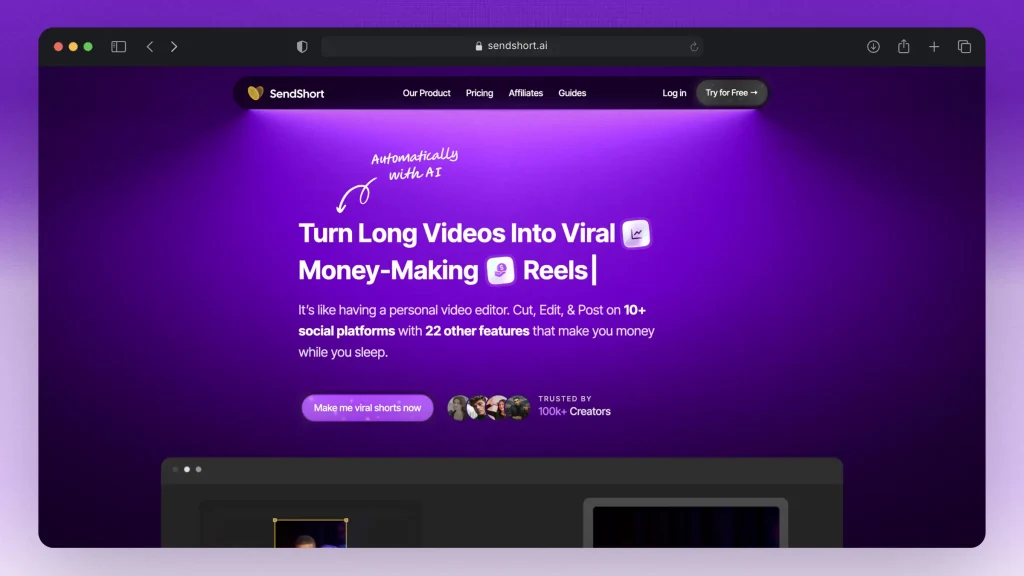
That’s exactly what SendShort was built for.
Instead of wasting hours editing, our AI does the heavy lifting so you can focus on posting and collecting payouts.
Here’s what makes SendShort stand out:
- Auto-generate 10+ clips from one video — instantly turn long-form into short, Whop-ready content.
- Captions & formatting built in — optimized for TikTok, Reels, Shorts, and Whop programs.
- No watermarks — clean exports you can use anywhere.
- Works in your browser — no installs or downloads, just log in and clip.
- Cross-post with ease — scale across multiple Whops to maximize earning potential.
SendShort is the voted-best AI clipping tool by thousands of creators — and now it’s your shortcut to turning Whop Clips into real payouts.
Conclusion: Is Whop Clipping Worth It?
Yes, Whop Clipping is 100% worth it. In fact, it’s is one of the simplest ways to start earning online: short videos, real payouts, and low barriers to entry. With the right approach, you can turn it into a reliable side income or even a serious business.
The formula is straightforward:
- Join Whops with budget left
- Generate clips fast (AI like SendShort makes this instant)
- Post daily and scale across multiple programs
The creators who win are the ones who stay consistent and automate smartly. If you want to skip the slow part — endless editing — SendShort is your shortcut to more clips, more views, and more payouts.
The best time to start clipping is today.
Auto-generate clips, post across multiple Whops, and earn from views. No installs. No watermark.
FAQs
1. What are Whop Clips and how do I earn with them?
Whop Clips lets you post short-form video content and get paid per 1,000 views from a program’s budget—think user-generated content that rewards engagement directly. Creators are paid based on views, so every clip you post can turn into real money.
2. How do I join and earn from Whop Content Rewards?
Just find a Content Reward that interests you within Whop’s Explore/Discover tab, join the Whop, follow its instructions, post your clip, submit the link+media, and get paid—usually hourly—as soon as your submission is approved.
3. What’s the difference between UGC vs clipping in Whop?
- UGC means you create new content from scratch based on a brand’s requirements.
- Clipping is repurposing existing footage—like carving a viral YouTube video into short sharable clips.
4. How do Whop payouts work? Are there minimums or caps?
Each Content Reward shows:
- A rewards rate (e.g., $X per 1,000 views)
- A minimum payout threshold (e.g., you need 2,000 views before earning anything)
- A maximum payout cap per clip—so one viral hit doesn’t drain a program’s budget.
About the author
David leads the editing team at SendShort. With this help, the team delivers the latest guides on using your favorite social media apps and creating short-form content.